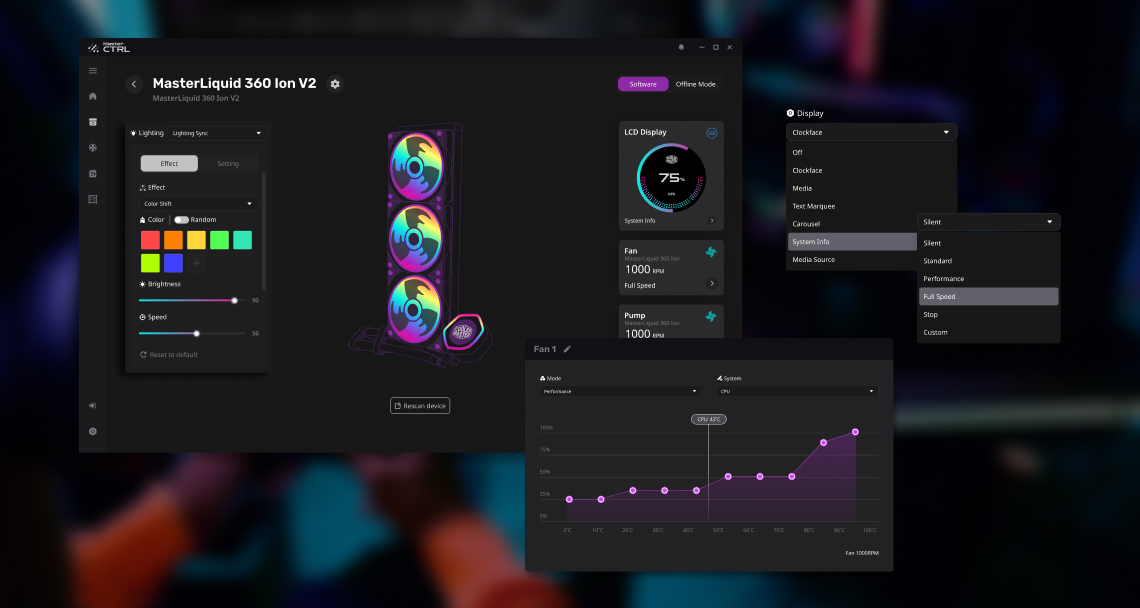
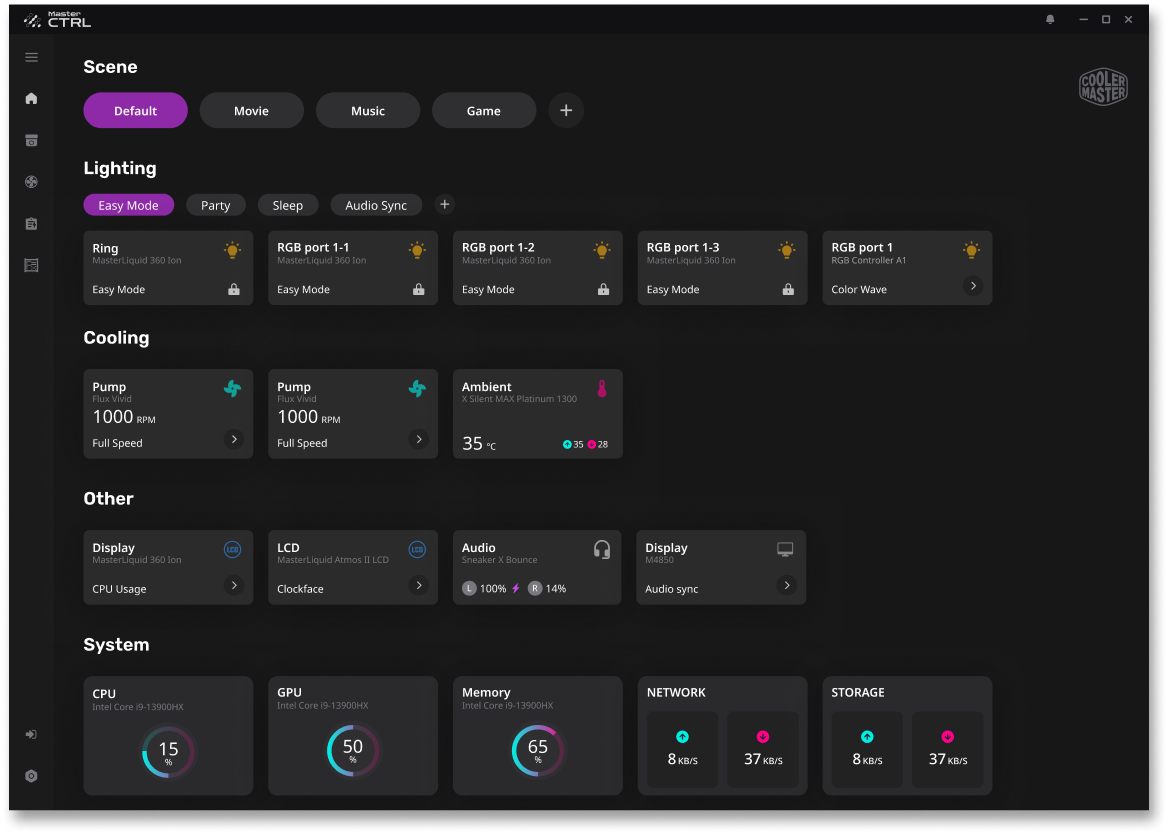
Unlike most solutions on the market—where each hardware product is tied to its own individual software—MasterCTRL provides a unified interface that integrates control across all PC devices, including cooling systems, lighting, power, and more. While each product is highly specialized and complex on its own, our system streamlines the user experience through a centralized and modular control panel.
At its core, MasterCTRL connects to MasterAgent, a versatile connectivity framework that supports various communication protocols such as USB, Wi-Fi, Bluetooth, and more. This ensures compatibility and connectivity with a wide range of Cooler Master devices, including their Tech Lifestyle products.
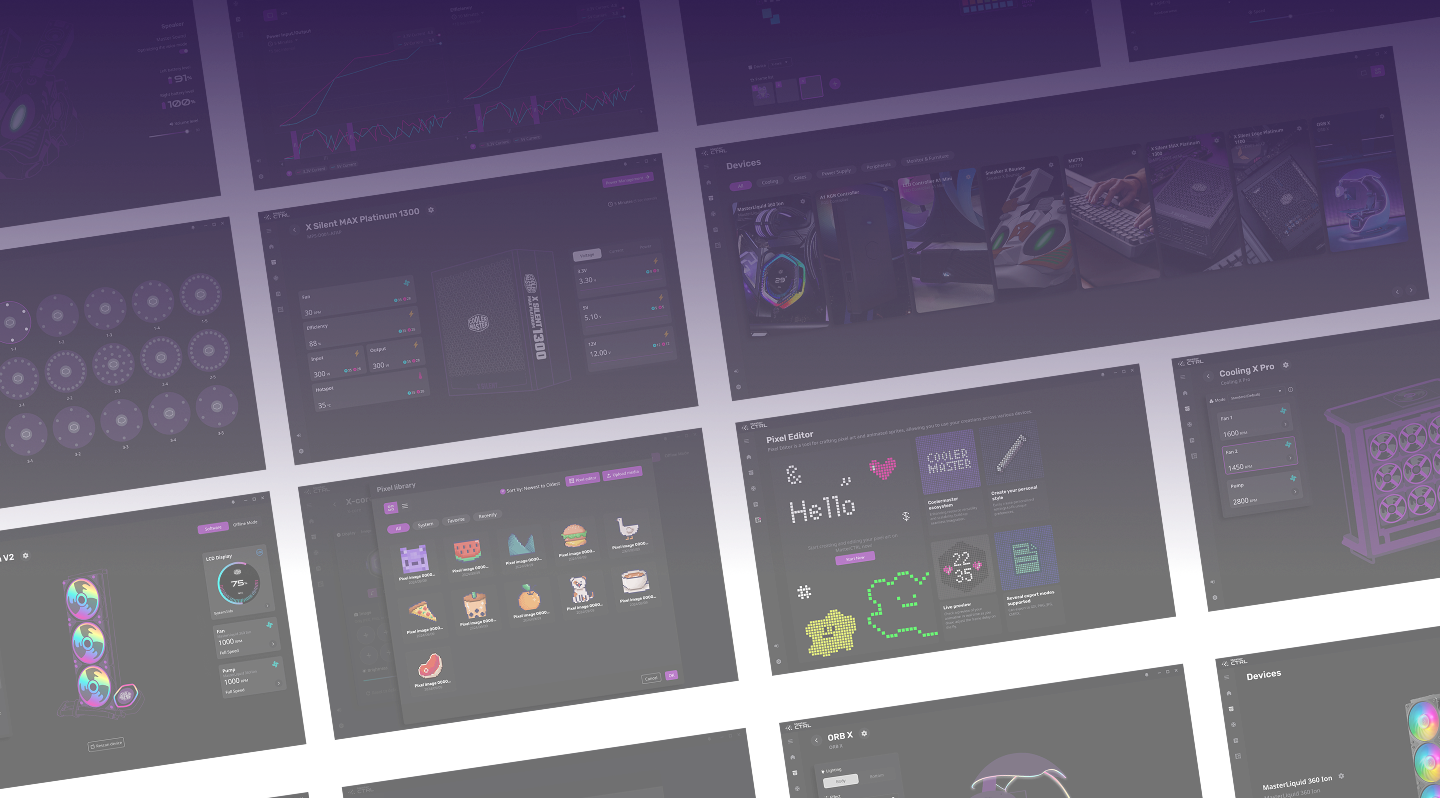
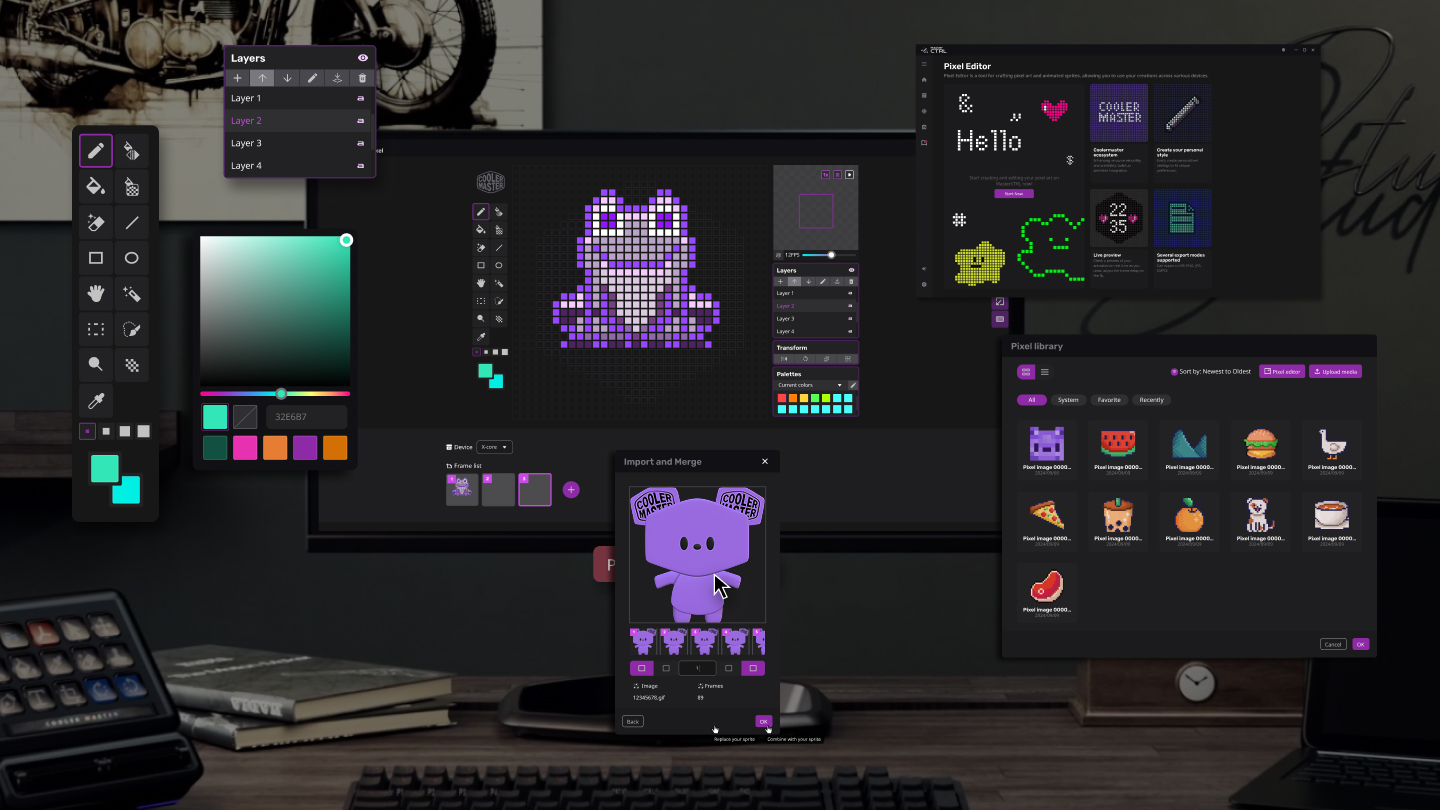
What sets our software apart is a built-in editor that enables users to create, edit, and share visual components across devices. This ensures that every connected hardware element, regardless of type, contributes to a cohesive visual identity. From RGB lighting to fan displays, users can design once and apply everywhere, building a highly personalized and visually consistent ecosystem.
The product experience has been continuously refined through insights gathered from player interviews and structured focus group reports, ensuring that each iteration aligns closely with the expectations and workflows of our core users.
Goal ⚙️
Provide a unified platform for managing all PC devices in one place.
Simplification: Streamline the operation flow to reduce learning effort.
Support scenario-based modes and customizable interfaces.
Enable visual and functional coordination across all connected devices.
My Role 💪🏻
User Experience
UI Component
Usability testing
Design System
Hardwarw/Software Integration
Lighting Synchronization
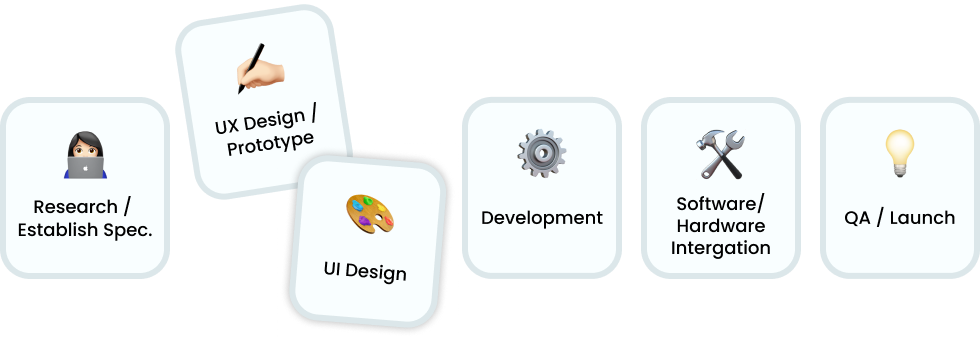
Project Process
Technology & Team Overview 🙌🏻
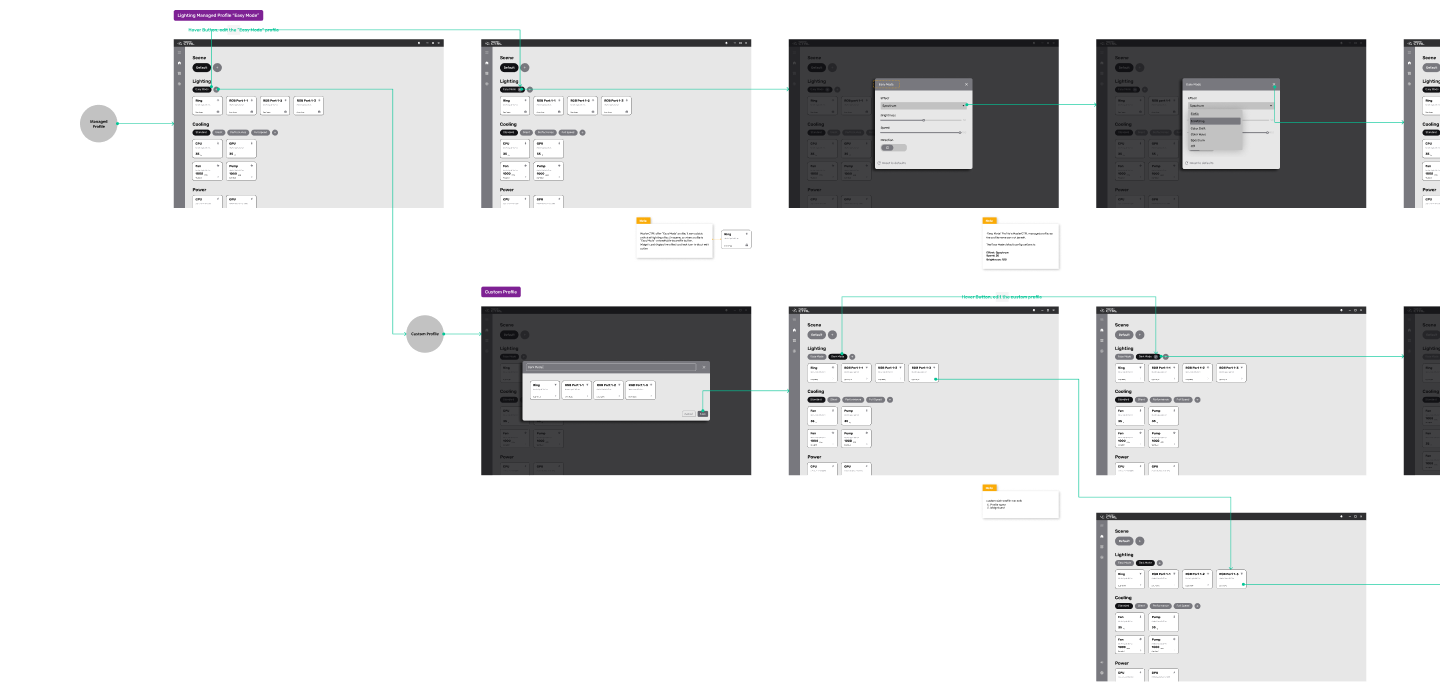
We adopted a streamlined and collaborative design-development workflow by utilizing Figma for all interface design, prototyping, and component handoff across teams. Design systems were built and version-controlled within Figma to ensure consistency across UI modules.
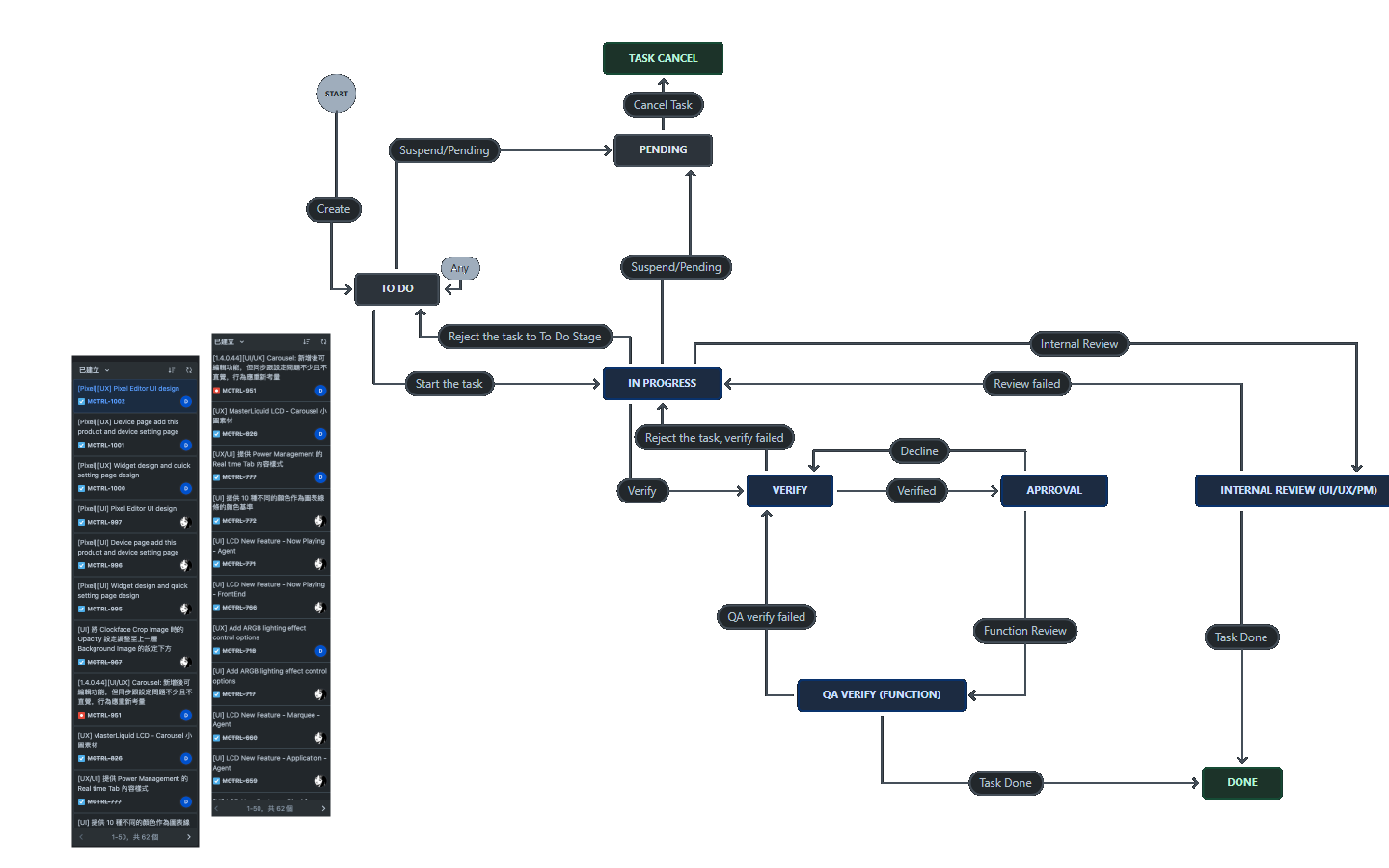
Project management, sprint planning, and QA validation were conducted using Jira, allowing cross-functional teams to track progress, manage iterations, and ensure feature completeness.
Our team structure included dedicated UI/UX designers, front-end developers, firmware engineers, and QA testers, all working within agile cycles.
Usability testing and refinement were conducted continuously in response to internal feedback, focus group sessions, and player interviews, ensuring the product evolved based on real-world interaction insights.
Find: Market Context & User Pain Points 📌
Most devices rely on separate software, requiring users to install multiple applications and learn various control logics. This results in inconsistent workflows and a complicated overall experience.
Complex control interfaces, lack of system-wide consistency, lengthy setup procedures, difficulty synchronizing multiple devices, and the inability to quickly switch between usage scenarios such as gaming, work, or music.
What We Do ?! ⬇️
UX Process & Design Strategy
The product experience has been continuously refined through insights gathered from player interviews and structured focus group reports, ensuring that each iteration aligns closely with the expectations and workflows of our core users.
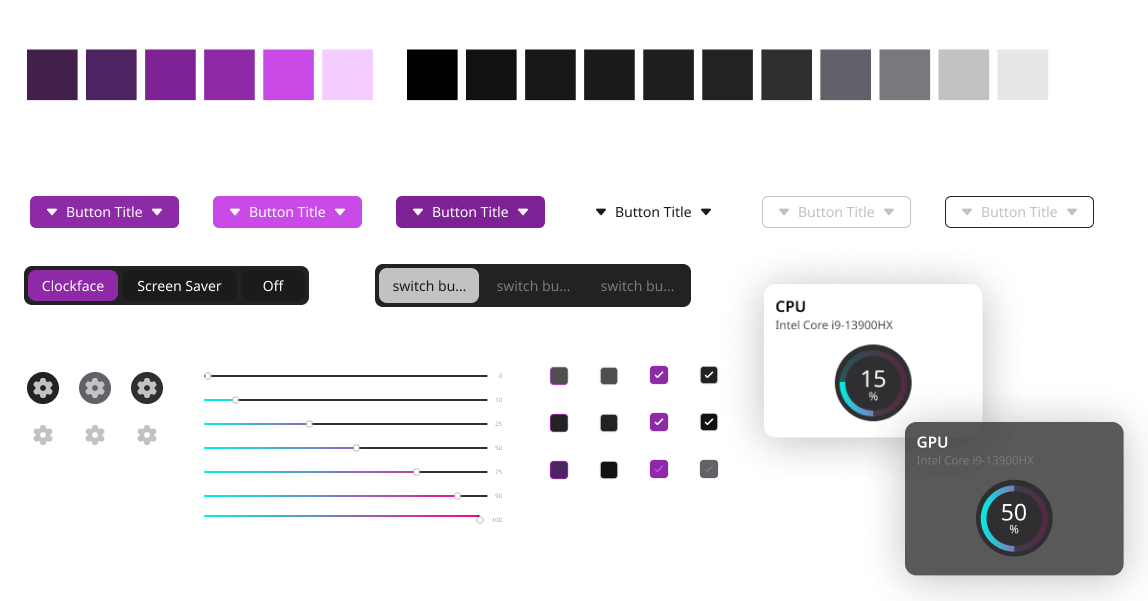
Consistent Visual Language System
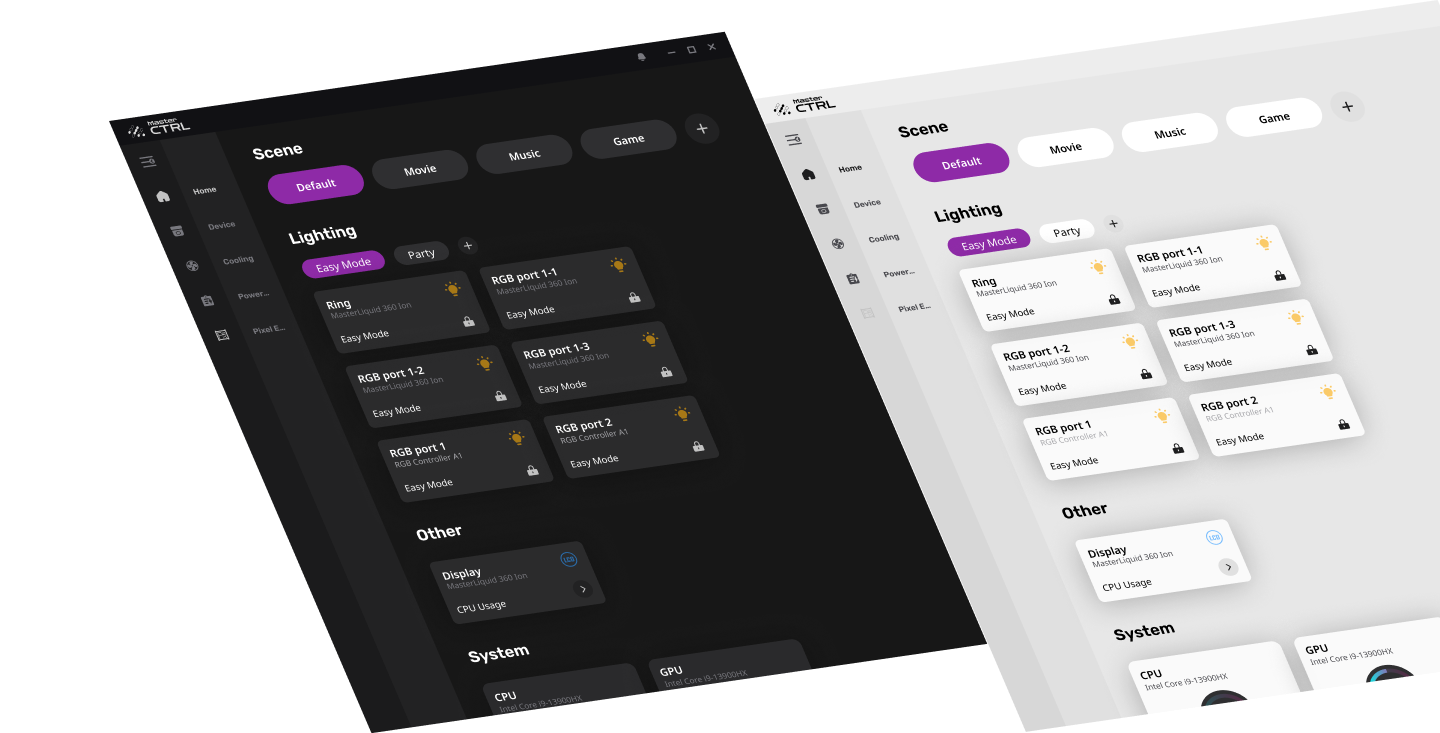
Our UI design language emphasizes consistency and universality, ensuring clarity and visual harmony across both light and dark modes. This enhances usability and brand recognition across diverse user environments.
More: Built-in Editor & Shared Asset Library
The built-in pixel editor is a core feature of MasterCTRL, empowering users to design, edit, and apply visual elements such as icons or mini displays across multiple hardware devices. This system supports a shared visual asset library that ensures all connected components follow a unified style. Visual assets can be stored, reused, and synchronized, streamlining the workflow for users who want to create personalized yet consistent interfaces. This tool not only supports creativity but also ensures efficiency and visual cohesion across the entire ecosystem.
「"MasterCTRL revolutionizes the way you interact with your devices"」