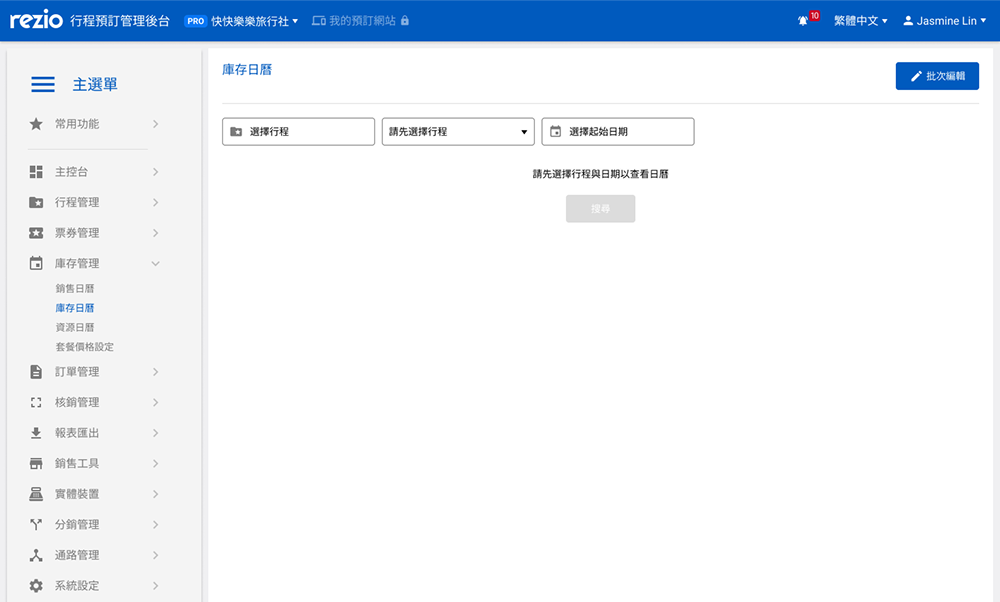
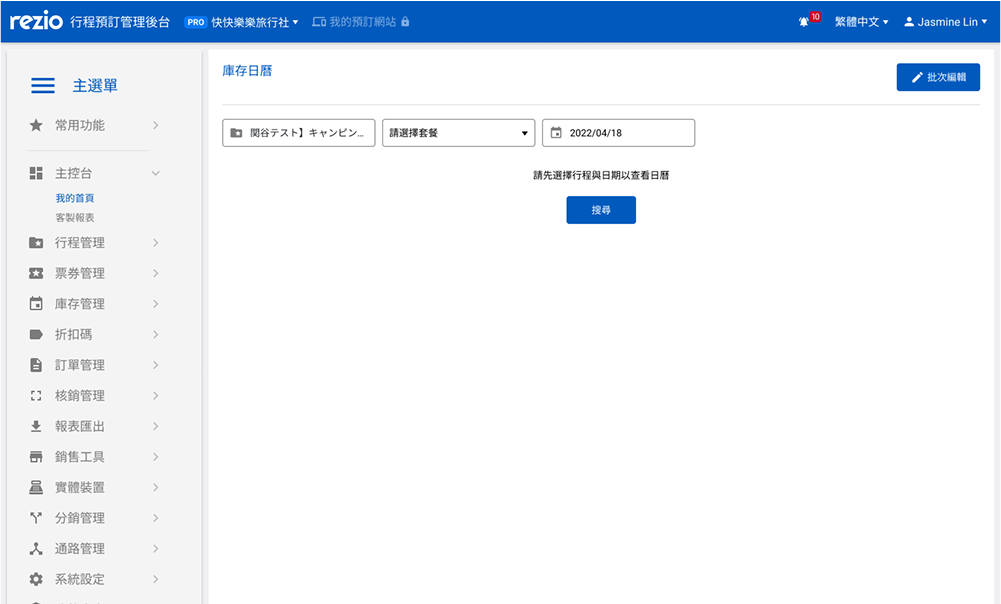
To accommodate the operating habits of Japanese market users, provide a more user-friendly inventory setting and session on/off management interface for established sales calendars.
Goal ⚙️
Availability Calendar
Japanese interface
Efficiency
Calendar view
My Role 💪🏻
User Flow
UI/UX
UI Kit
Usability testing
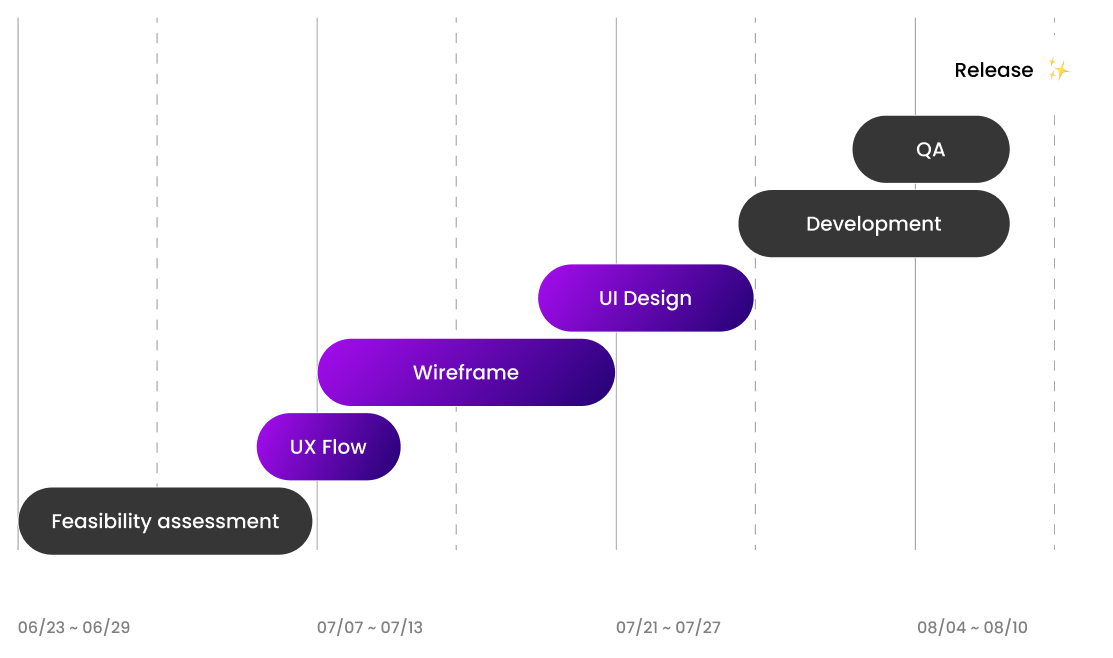
Schedule 🗓️
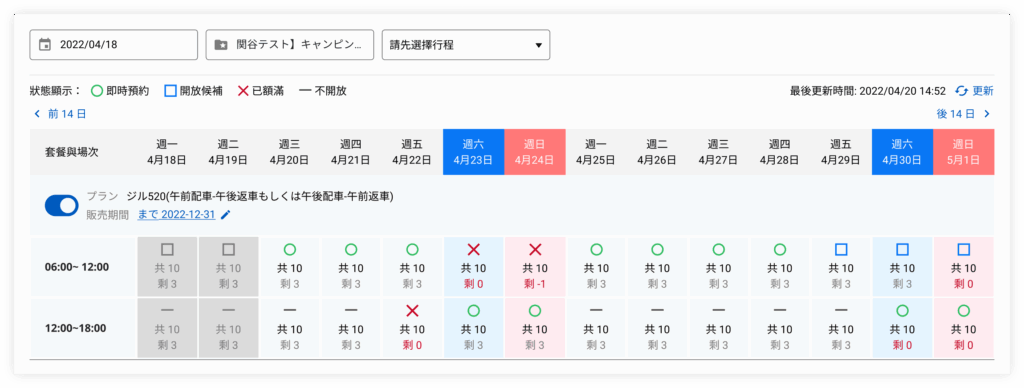
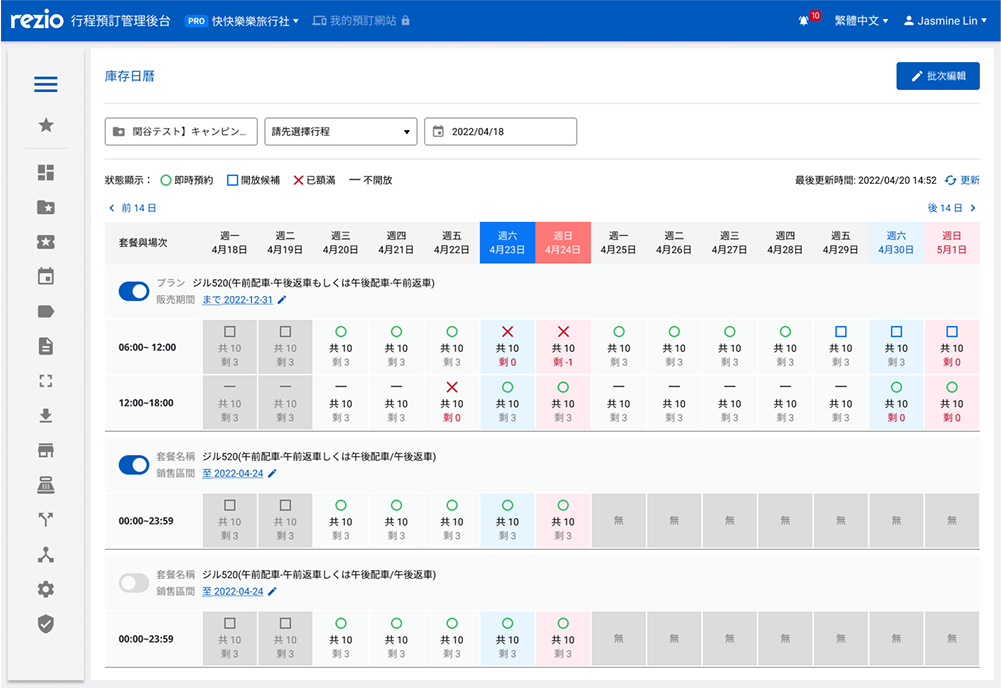
As an admin user, I want to be able to view the inventory quantity and reservation status settings of each session at a glance in calendar format.
As an admin user, I want to be able to quickly and easily modify the inventory quantity and reservation status settings of individual or multiple sessions.
User Flow
How To Do ?! ⬇️
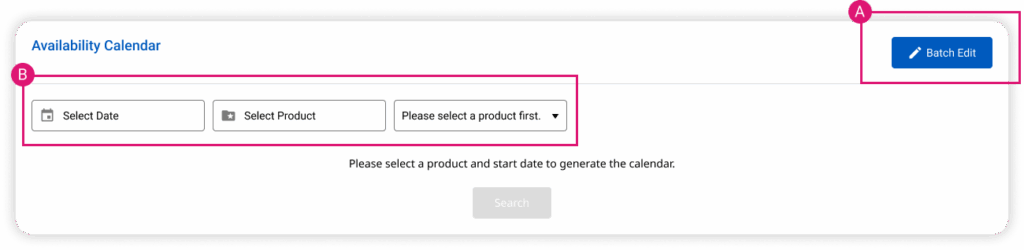
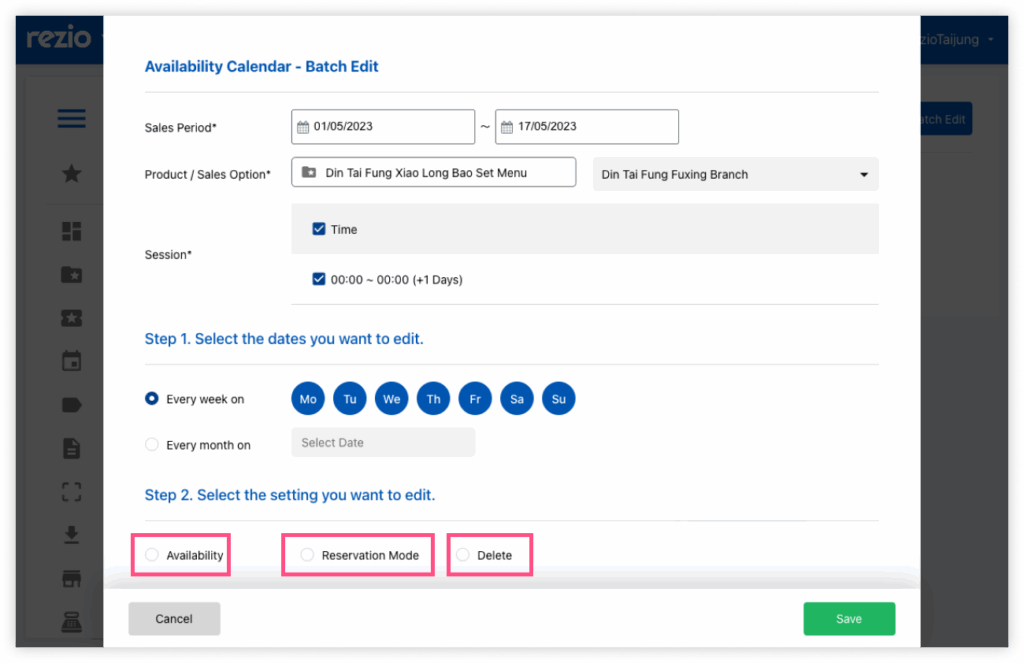
A - Batch edit
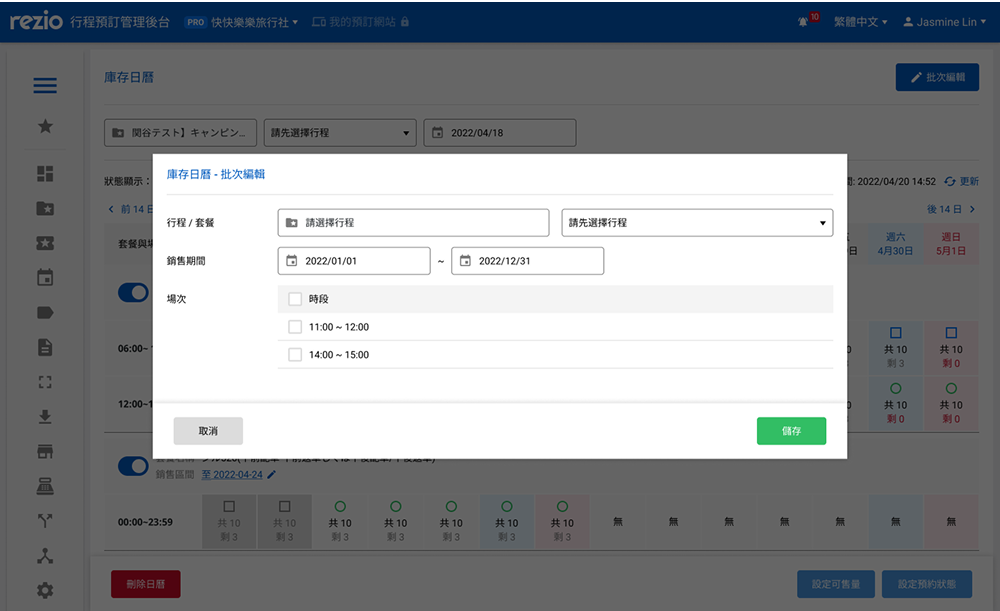
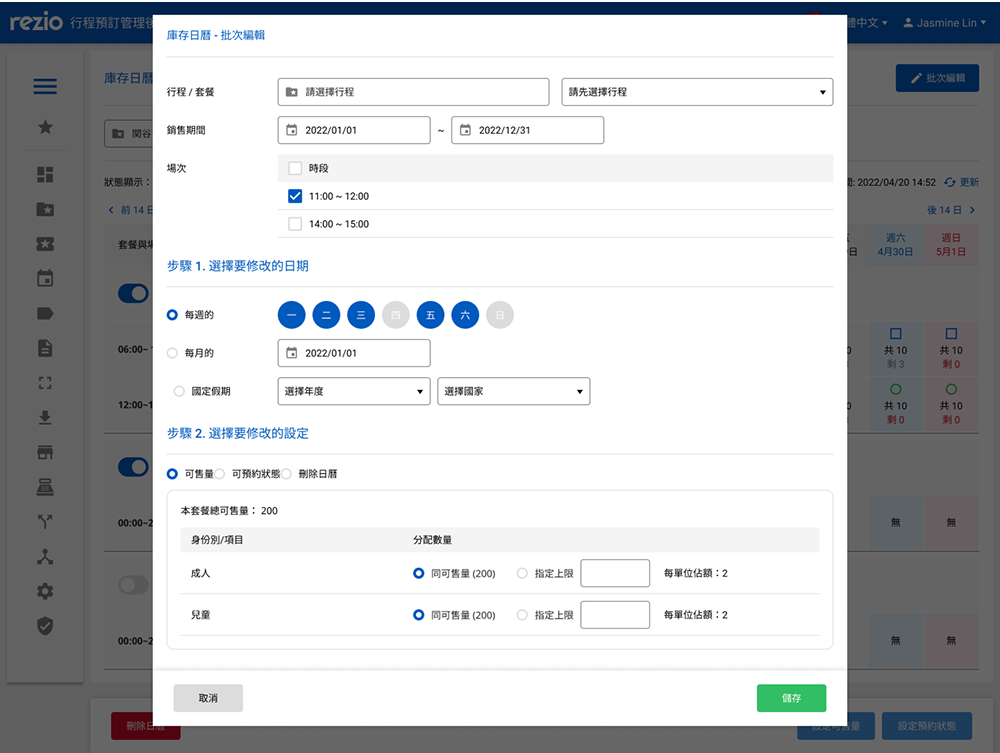
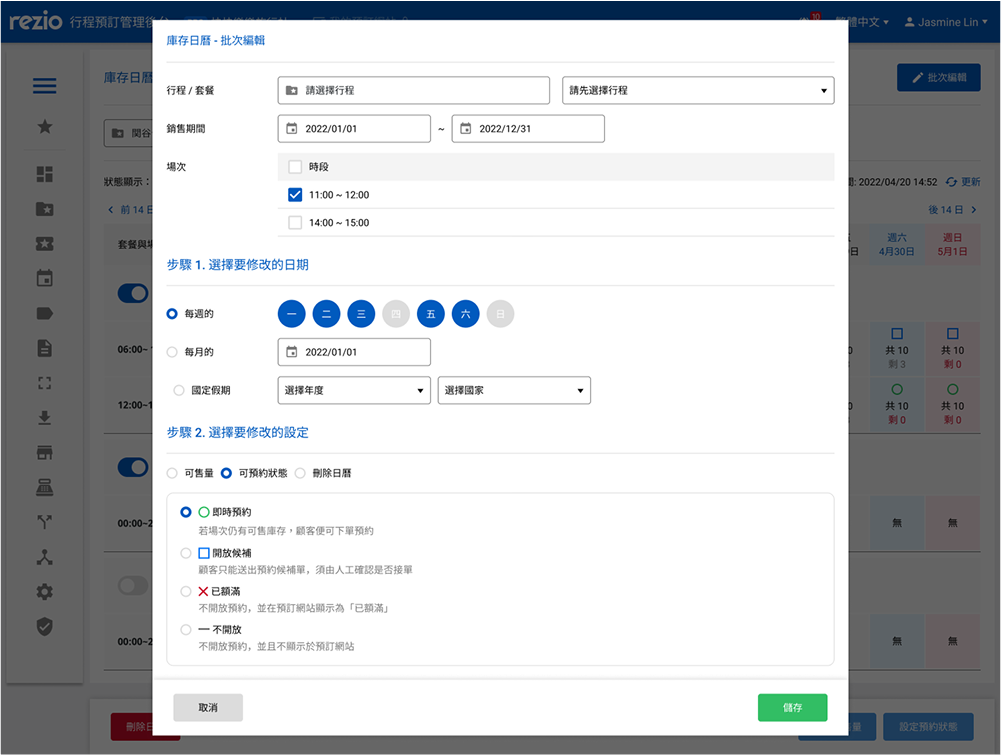
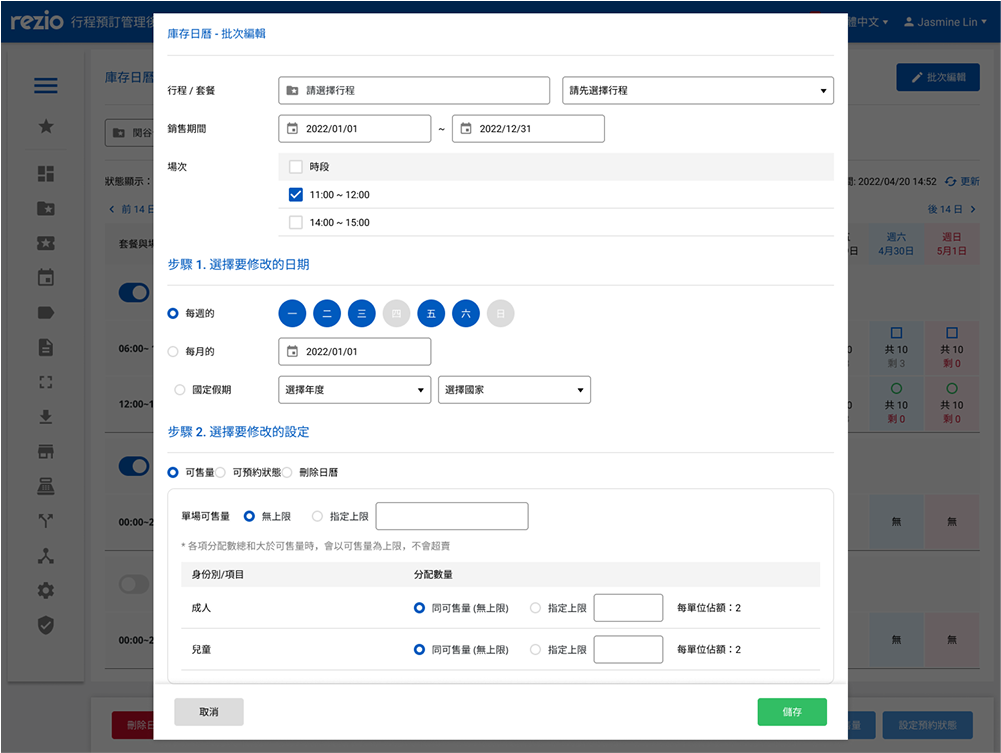
The setting values of the specified sessions can be modified in batches according to the custom date range.
Selectable date range and applicable dates can be chosen for modification.
Bulk modification of inventory for a single session.
Bulk modification of reservation status for sessions.
Bulk deletion of sessions.
B - Calendar view to check or edit
Using the calendar view, operate the quantity of the session within 2 weeks & the setting of the reservation status.
Sales option switch can be turned on/off for each option item.
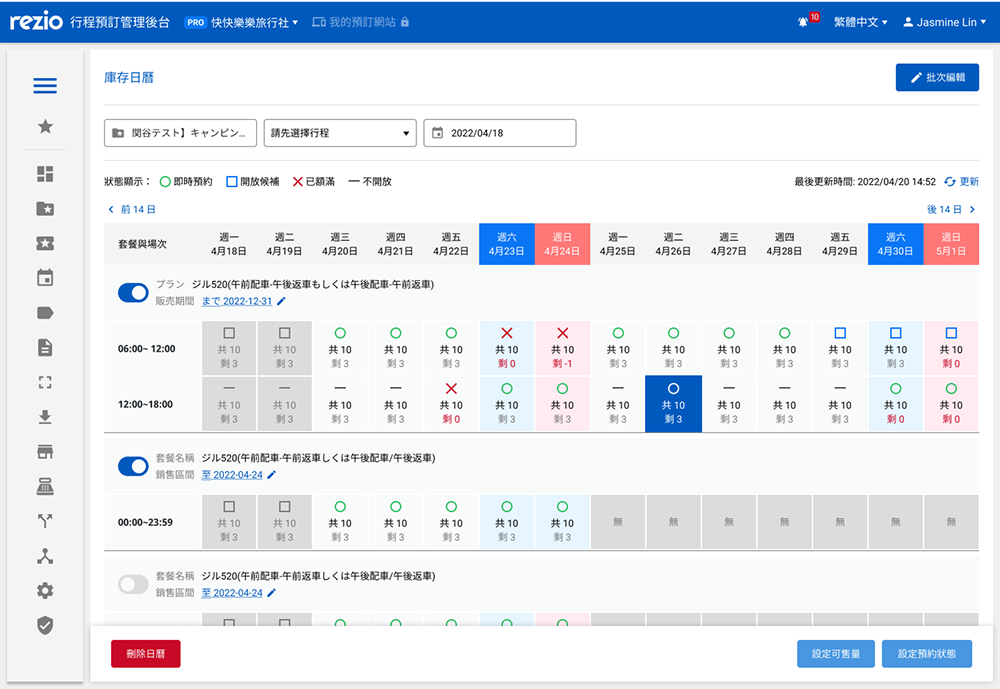
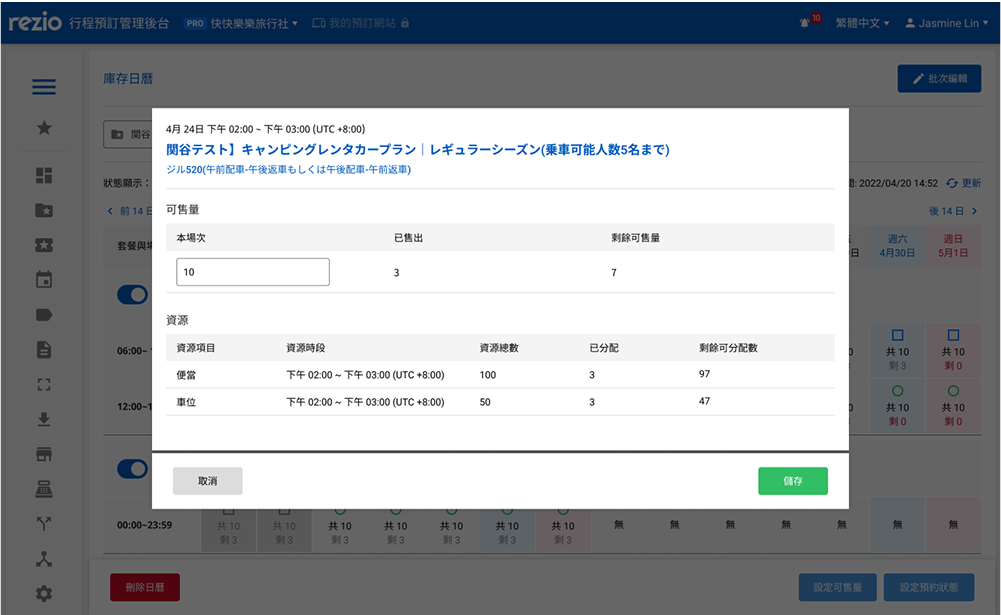
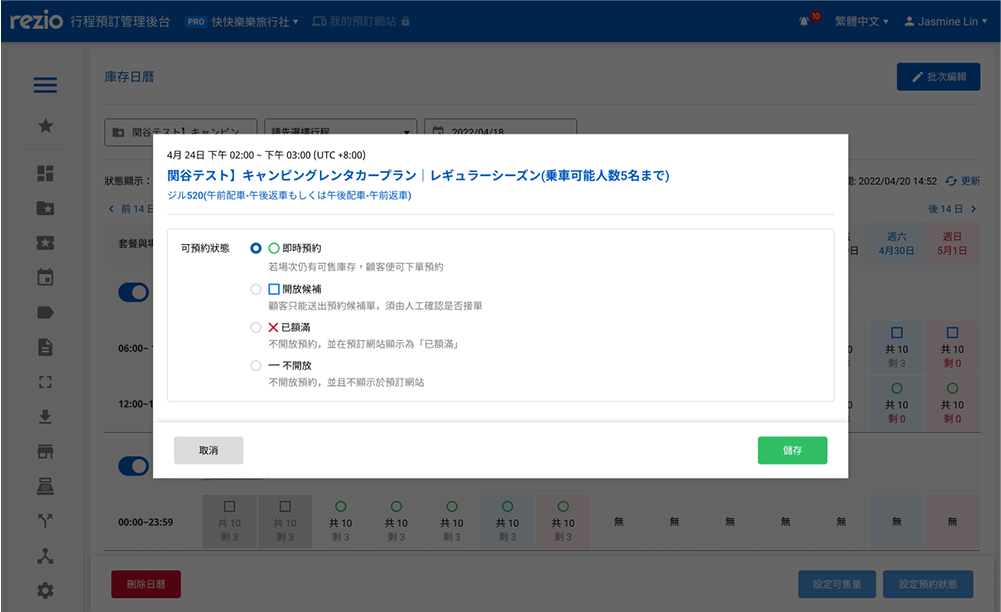
The booking status and inventory of a single session can be modified.
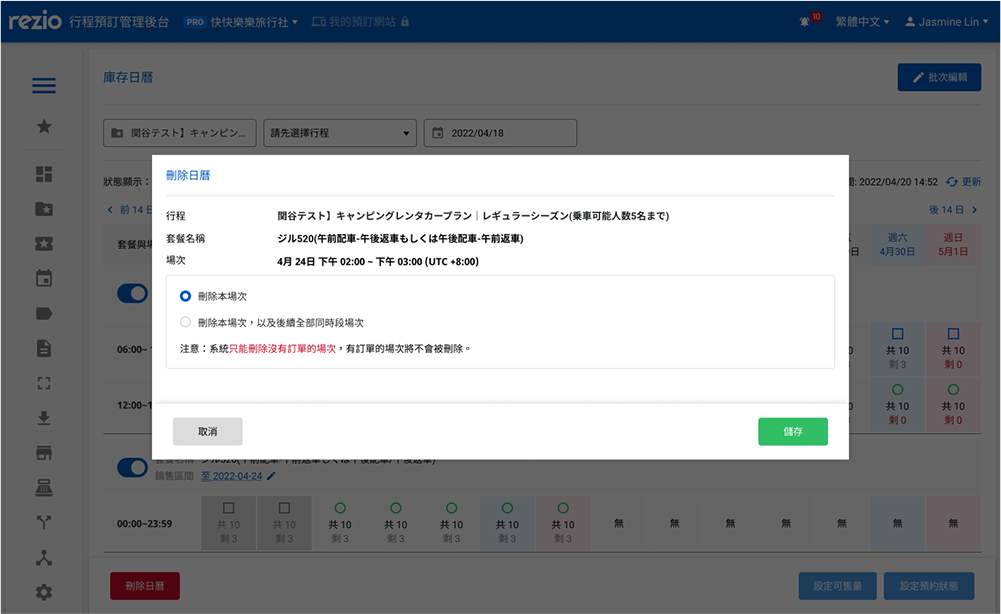
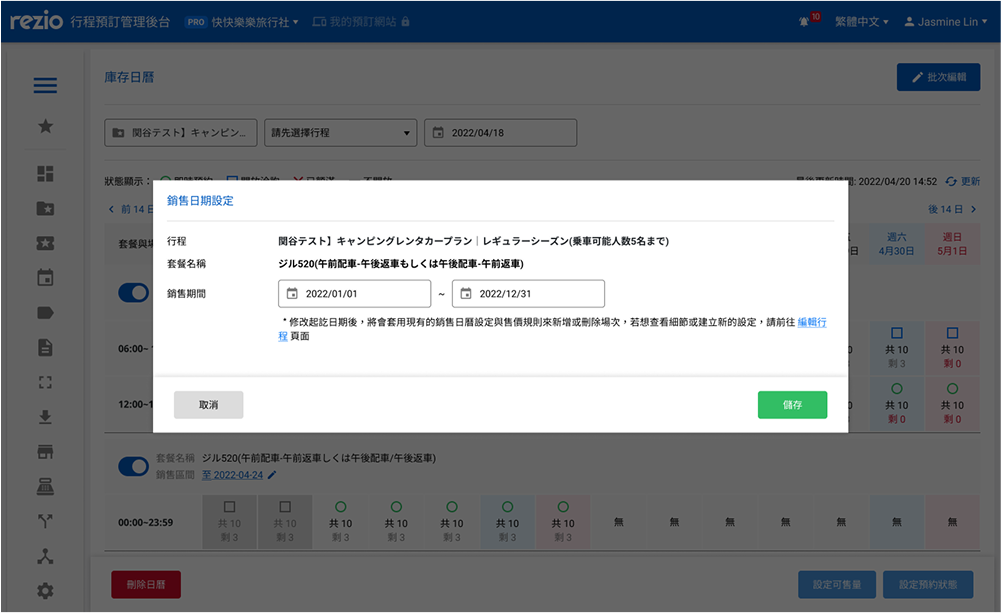
A single session can be deleted, or all subsequent sessions within the same time slot can be deleted.
More about design detail 💡
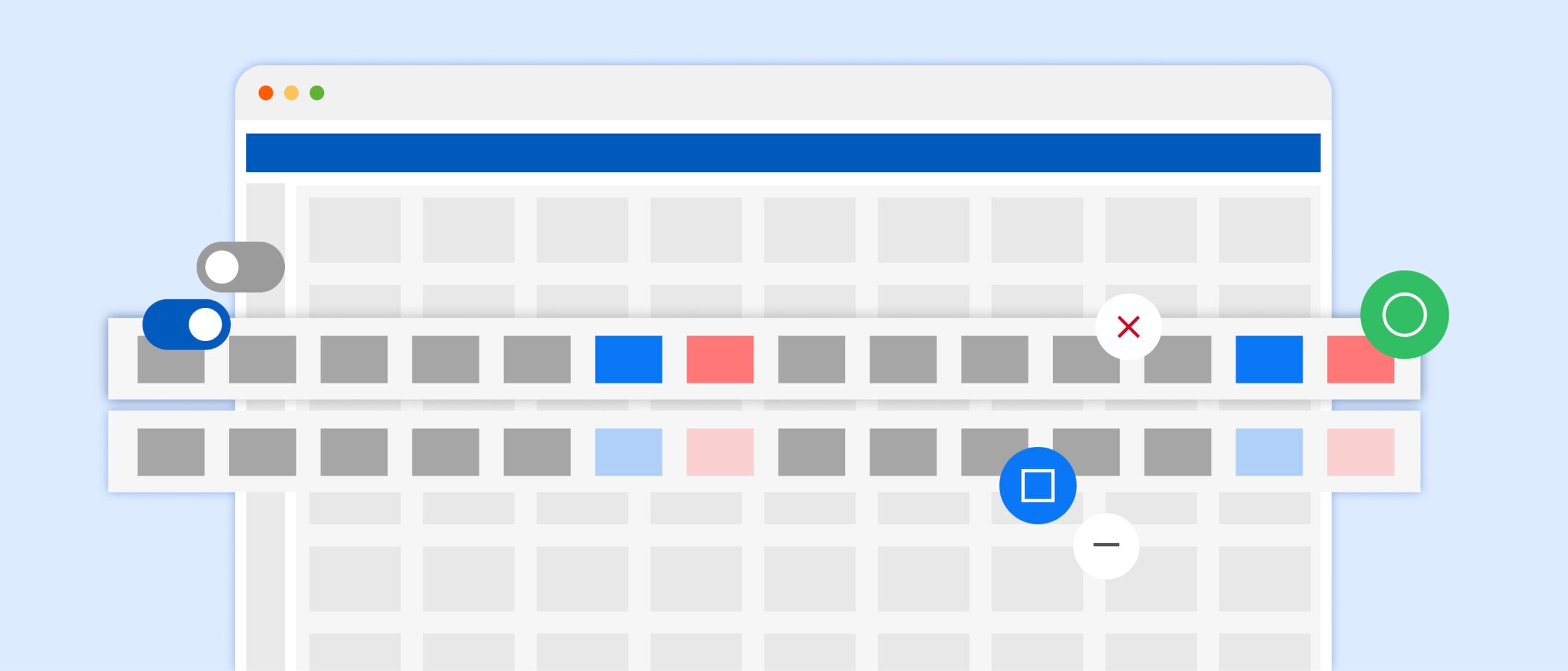
Using “colors” to quickly identify:
Using “shapes” to quickly identify:
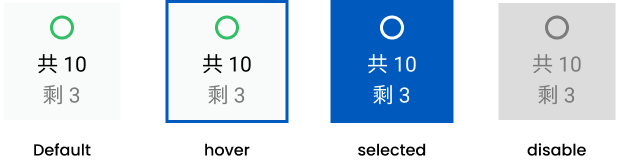
How to quickly locate the mouse cursor in a
“full-screen calendar” and make the touch effect of each item more noticeable.
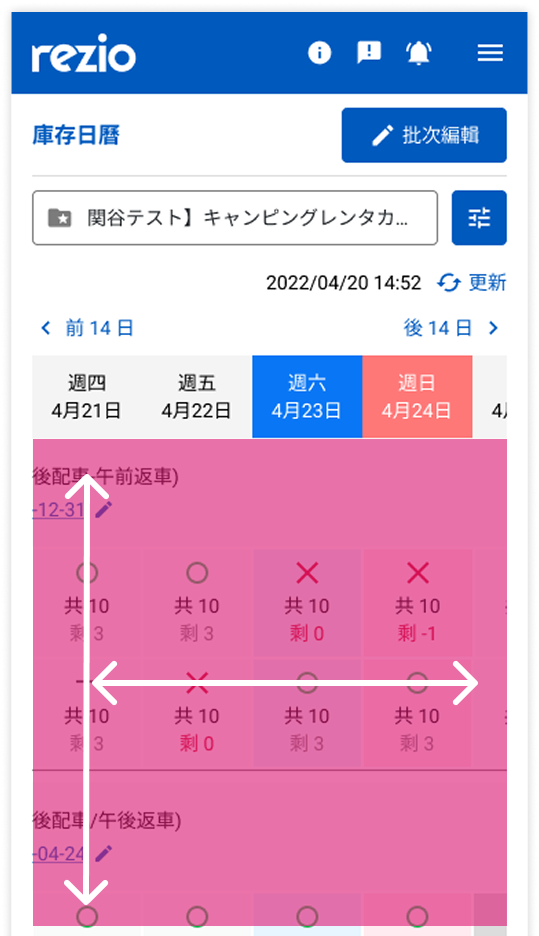
On mobile devices, users can swipe left&right, up&down according to their usage habits.
The date field is fixed on the top for easy viewing.
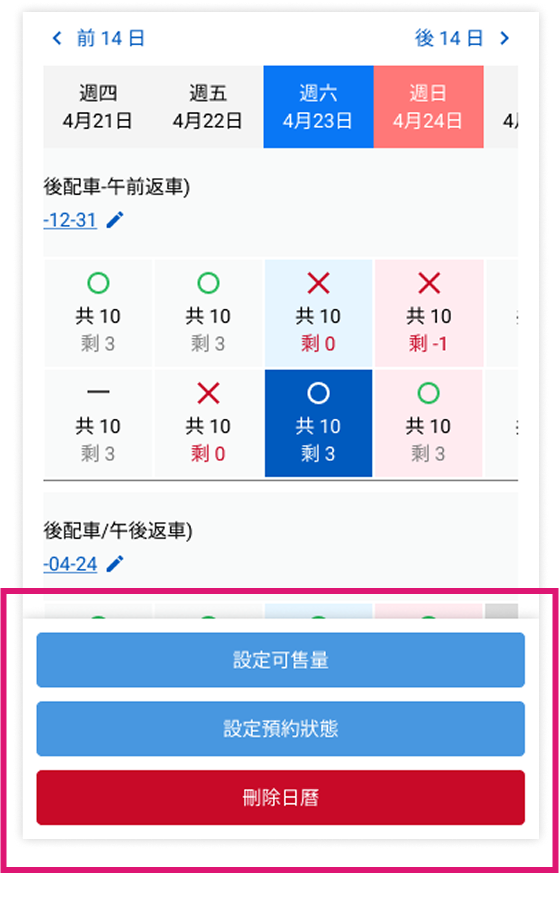
On mobile devices, fixed action buttons at the bottom and enlarged for easier operation.